no software to install, no monthly contracts to sign, no hidden charges
Create New Booking

1) Click on bookings
2) Click on add booking
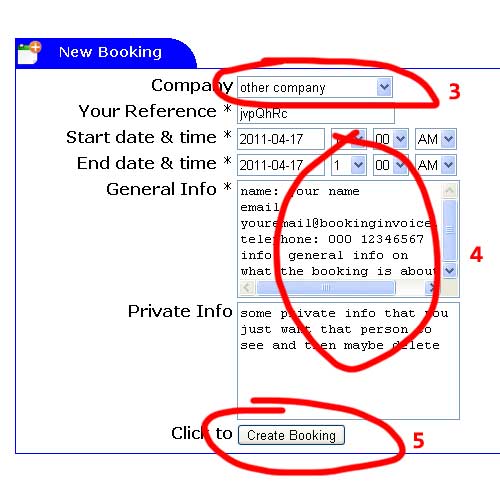
3) Select company from list. If company not in list choose 'other company'
4) Fill in required fields marked with * and any other information. Don't forget to include contact details.
5) Click on create booking
Company: select a company to make booking for. If company not in list choose 'other company' (required)
Reference: fill a reference (required)
Start date & time: booking start (required)
End date & time: booking end (required)
General Info: general info on booking (required)
Private Info: private information for you to share with your booking company. (encrypted in database)
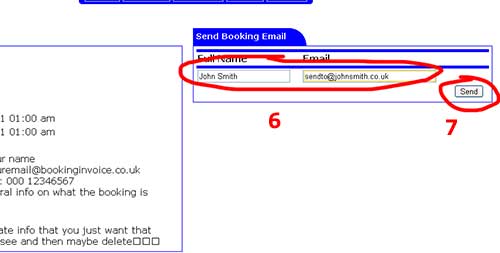
6) Fill in company/contact name and email address to send to
7) Click on send