no software to install, no monthly contracts to sign, no hidden charges
Create New Customer
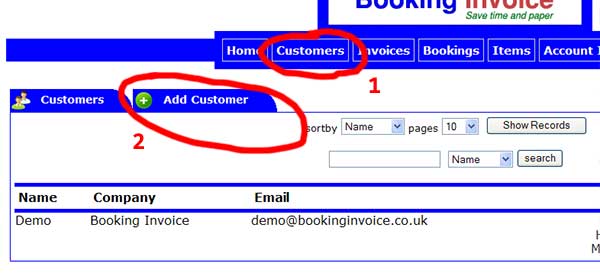
1) Click on customers
2) Click on add customer
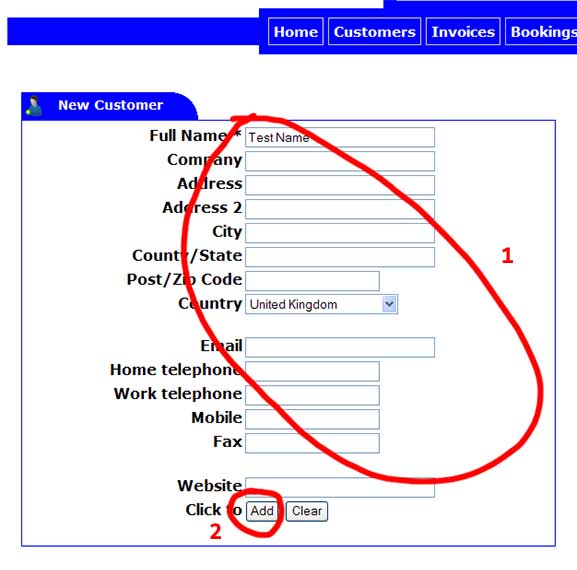
1) Fill in required field marked with * and any other information
2) Click on add when finished
*) You will be taken to the edit customer screen where you can edit any information
Edit Customer
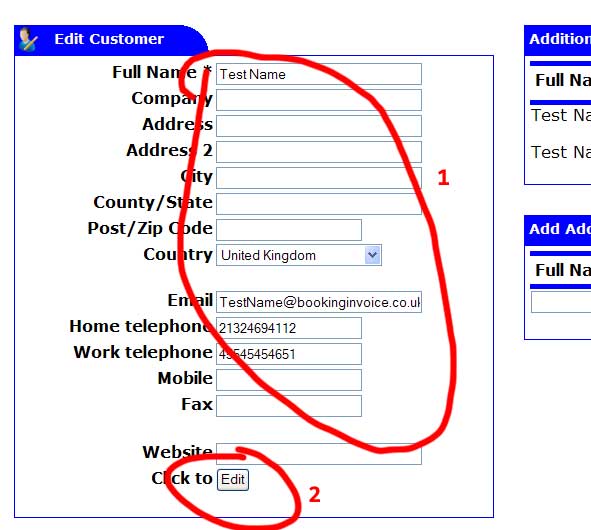
1) Fill in required field marked with * and any other information
2) Click on edit to update information
Add Additional Contact
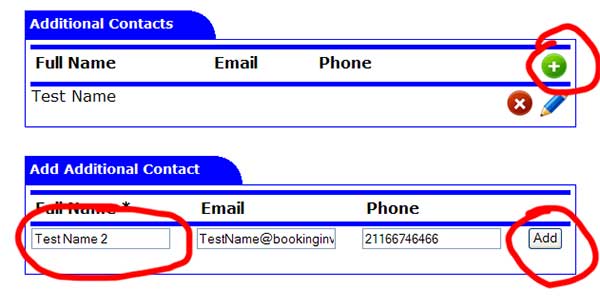
1) Click on plus sign
2) Fill in required field marked with * and any other information
3) Click on add to finish or to add another
Edit Additional Contact
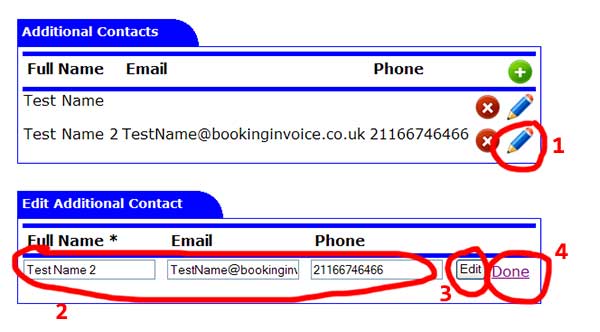
1) Click on edit pencil next to contact
2) Fill in required field marked with * and any other information
3) Click on edit to update edited information
4) Click on done when finished editing or to cancel
Note: additional contact email addresses are used for sending bookings and invoices.