no software to install, no monthly contracts to sign, no hidden charges
Add a Subscription
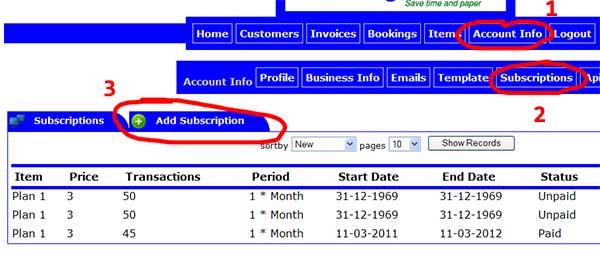
1) Click on account info
2) Click on subscriptions
2) Click on add subscription

4) Decide on plan and click on step 1
5) Decide on monthly or yearly payments and click on step 2
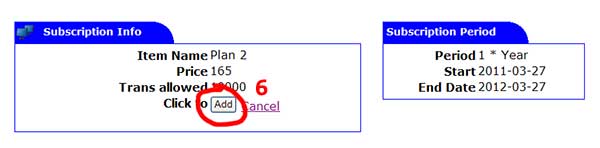
6) Click on add to add subscription

7) Click on pay subscription button
*) you will be taken to Paypal to process your payment
Note: subscriptions are for bookings and invoices. Subscription will start from payment date and not from date subscription added.